Skydio Missions: Teaching a docked drone to patrol on its own
Mission Recording
Editing a waypoint mid-flight, then reviewing the patrol before it runs
Context: Skydio Dock needed missions to deliver enterprise value
With the launch of Skydio Dock, missions became a core part of the software. A drone that lives in a dock only pays off if it can fly useful routes without a pilot on site.
Dock had many use cases. One of the biggest was automated patrols. One of our largest enterprise customers, a railroad company, runs rail yards so large that shipping containers get misplaced in them.
First customer: ALSOK needed docked security patrols
One of the first catalysts for missions was making them work for our first Dock customer, ALSOK, one of Japan's largest security companies.
ALSOK had already seen the value of our drone software in inspections. Through our partnership, they were one of the first customers to take our prototype dock and launch missions from it.
ALSOK's Skydio drones on patrol
I worked closely with our hardware engineers, drone autonomy engineers and product managers to decide what kind of mission to build first.
Research: Three ways competitors let you plan a mission
- Waypoint missions, planned on a map
- Live mission recording, where you fly the drone by teleop and record the route as you go
- KML import, so teams already planning routes in Google Earth could plan there in one click and bring the mission into Skydio
We went with live mission recording first. Engineering had already built a prototype of it while building our skills, and it fulfilled our contract with ALSOK.
Competitive analysis: We flew the other mission apps ourselves
Before choosing an approach, we flew the mission and flight apps from DJI, Parrot and third-party mapping tools alongside Skydio's own KeyFrame. Each recording is a full session. Drag the bar under a video to scrub through it.
Decision 1: Two ways to drop a waypoint while flying
I designed the interface for adding waypoints while flying the drone, and explored two approaches:
Before
Before: each point set from buttons in the side panel, beside the live view
After
After: the redesigned flight view, with footage from a real warehouse flight in the camera feed
Why we shipped both
Looking at it the way a game like Halo would, the PM and I decided operators should have two ways to create a waypoint. Flying and recording at once is demanding, so the input had to be multimodal: click when your hand is on the mouse, press a key when it's on the controls.
Decision 2: Ship the simplest schedule first, end to end
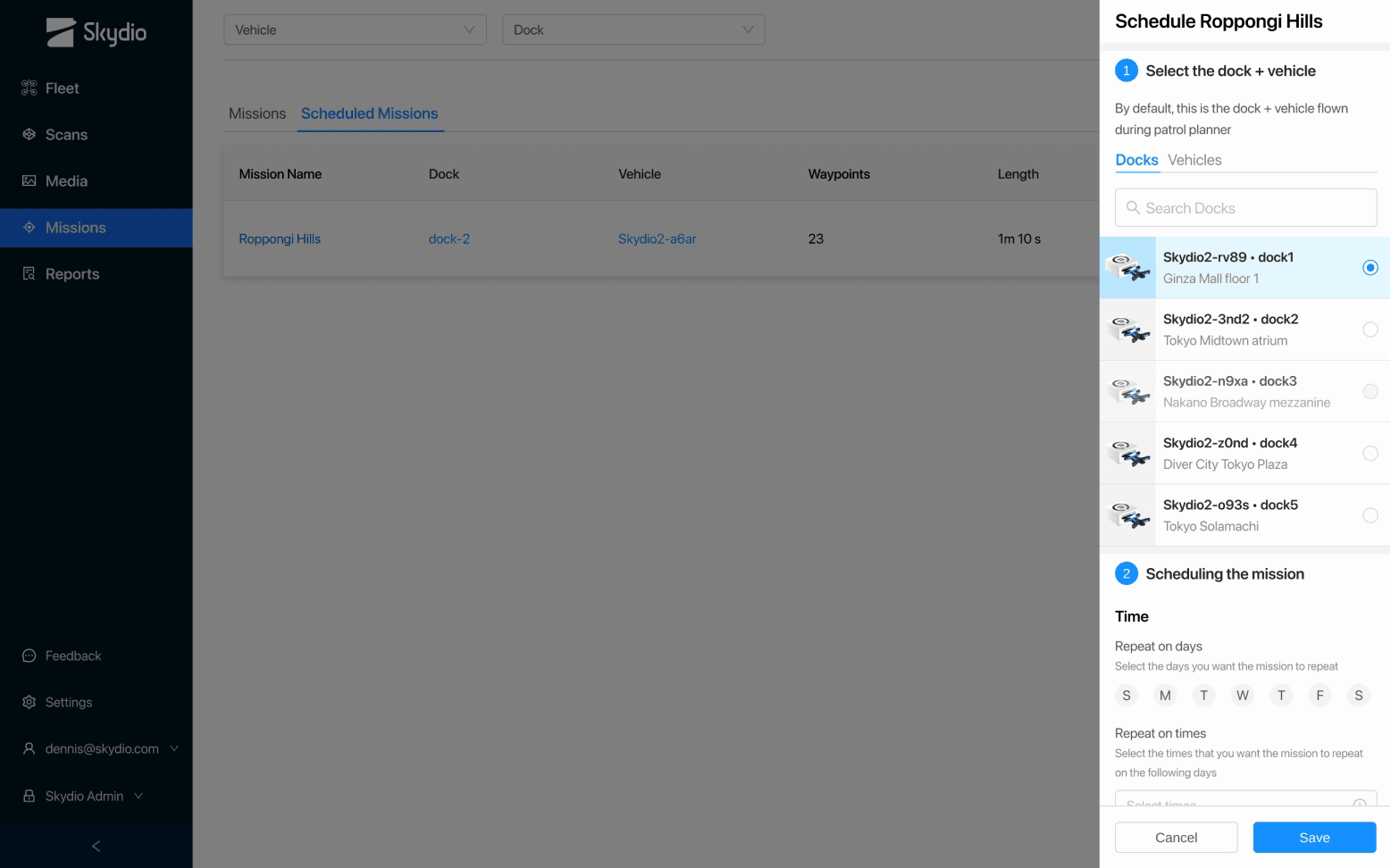
Once a mission was recorded, it had to be scheduled, run on time, and everyone had to know when it would fly. Scheduling was part of the ALSOK MVP too, so it had to ship fast. I explored two options:
Shipped
Option 1: two dropdowns, dock and vehicle, then the days and times. This shipped for ALSOK's Tokyo docks
Option 2: a week calendar of every patrol beside the scheduling panel. Click a patrol for details
Weighing engineering time against the product roadmap, we started with the two dropdowns and a simple day and time picker. Once that worked, we could add more complex features on top.
The point was to build the simplest thing and get it working end to end before focusing on other parts of the system.
Map-based missions: Adding waypoints on a satellite map
Outdoors, GPS works, so the next step was map-based missions. The railroad's yards are too large to fly by hand, so an operator drops waypoints on a satellite map instead.
Between waypoints they set the speed, heading, gimbal angle and obstacle avoidance. At each waypoint they set the photo and its height. Flight distance and duration update as the route grows.
Planning a rail yard mission end to end, waypoint by waypoint
Shipping containers: Every container inspected and geolocated
The railroad runs these missions to inspect the shipping containers in its yards. As the drone flies the route, it detects each container, reads its ID and pins it to a precise geolocation.
Instead of walking the yard to find a misplaced container, the team looks it up.
Container detections from a rail yard mission: each box is matched to the container's ID
Outcome: Missions unlocked hundreds of Dock sales
- of docks sold with missions as the new feature unlock
- 100s
- of docks sold with missions as the new feature unlock
- of the system now running on Dock warehouses
- 99.9999%
- of the system now running on Dock warehouses
We launched missions, and sales and marketing could finally market Dock for what it was built to do.